Profile
Fatih
Profile

Fatih

Contact
  • fatihaljabar@gmail.com
  • fatihaljabar.com
Languages
🇬🇧 English
🇮🇩 Indonesia
Home
About
Achievements
Projects
Contact
Back

POS

A multi-branch Point of Sale demo: branch management, production, inventory, purchasing, and reporting in one dashboard.

Tech Stack :
Live Demo
POS

Timeline: July – July 2026

Overview

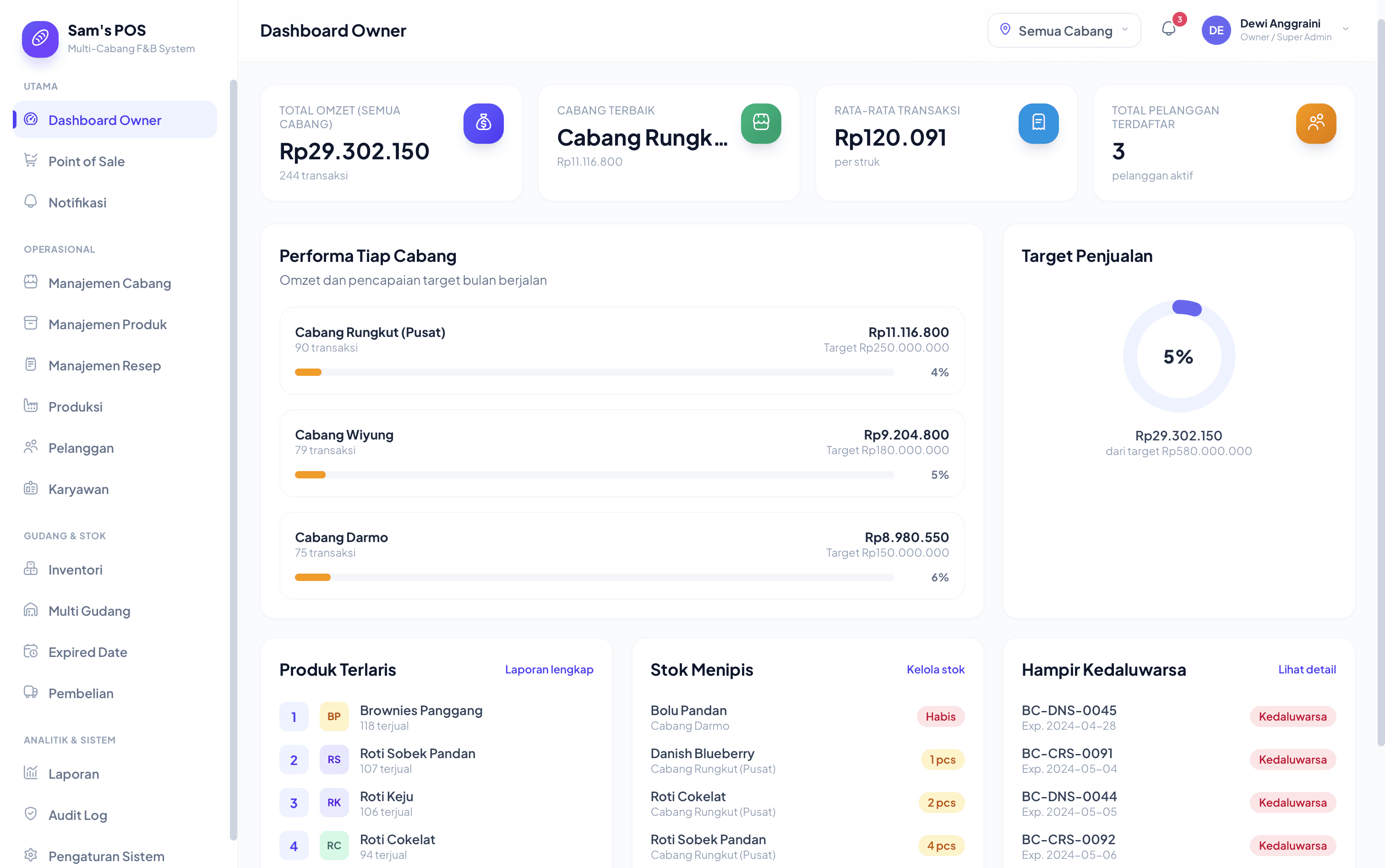
POS is a demo of a full point-of-sale and back-office system for a multi-branch food & beverage business, built to show a prospective client what the finished product would look like before committing to build it. Everything works: point of sale, product and recipe management, multi-warehouse inventory, purchasing, production tracking, staff management, audit logs, and financial reporting, all wired together in one dashboard.

It runs entirely on mock, in-memory data with a client-side demo session. There's no real backend or database behind it, by design. The goal of this build was to prove out the entire product surface, meaning every screen, every workflow, and every role's permissions, before any backend investment, so a client (or a real business) can validate the whole experience first.

Three Roles, Three Different Apps

The demo login screen doesn't ask for a password. It asks which role to explore, because the three roles genuinely see different applications:

  • Owner / Super Admin: full visibility across every branch, including dashboard, branch management, product and recipe catalog, employee management, reports, audit log, and system settings.
  • Kasir (Cashier): Point of Sale, customer lookup, and that branch's transaction history. Nothing else is reachable, not just hidden. The navigation itself is filtered by role.
  • Staff Gudang (Warehouse Staff): production, recipes, inventory, multi-warehouse transfers, purchasing. No access to sales figures or customer data.

Point of Sale
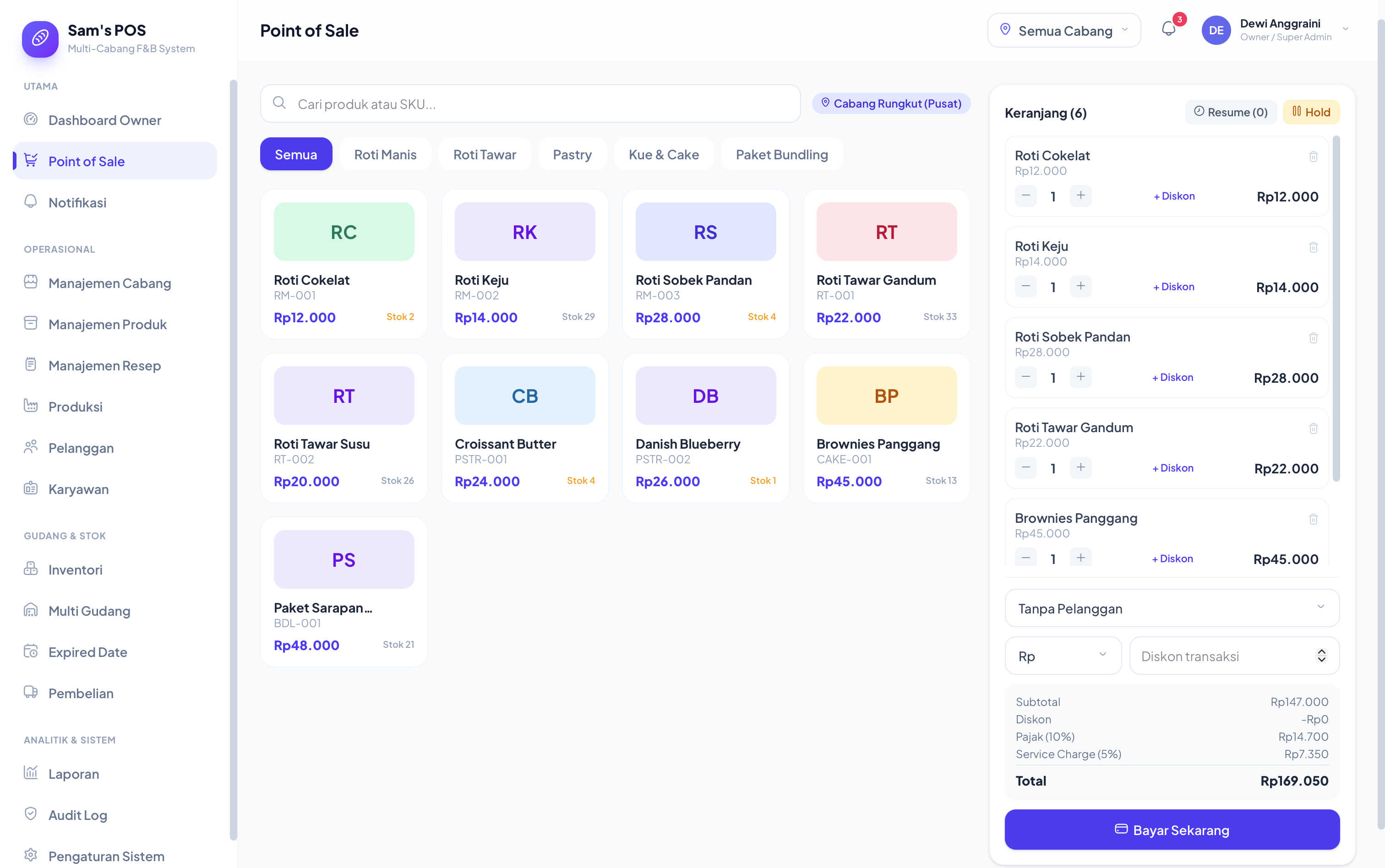
Point of Sale: product grid, cart, discounts, held sales

  • Product grid with category filters and SKU search, variants (size, flavor) and bundles handled as first-class items.
  • Cart supports per-line and transaction-level discounts (fixed amount or percent), tax, and service charge.
  • Hold sale: park an in-progress cart and resume it later, for the moment a customer says "actually, wait."
  • Multiple payment methods (cash, QRIS, debit, credit) with change calculation.
Product & Recipe Management

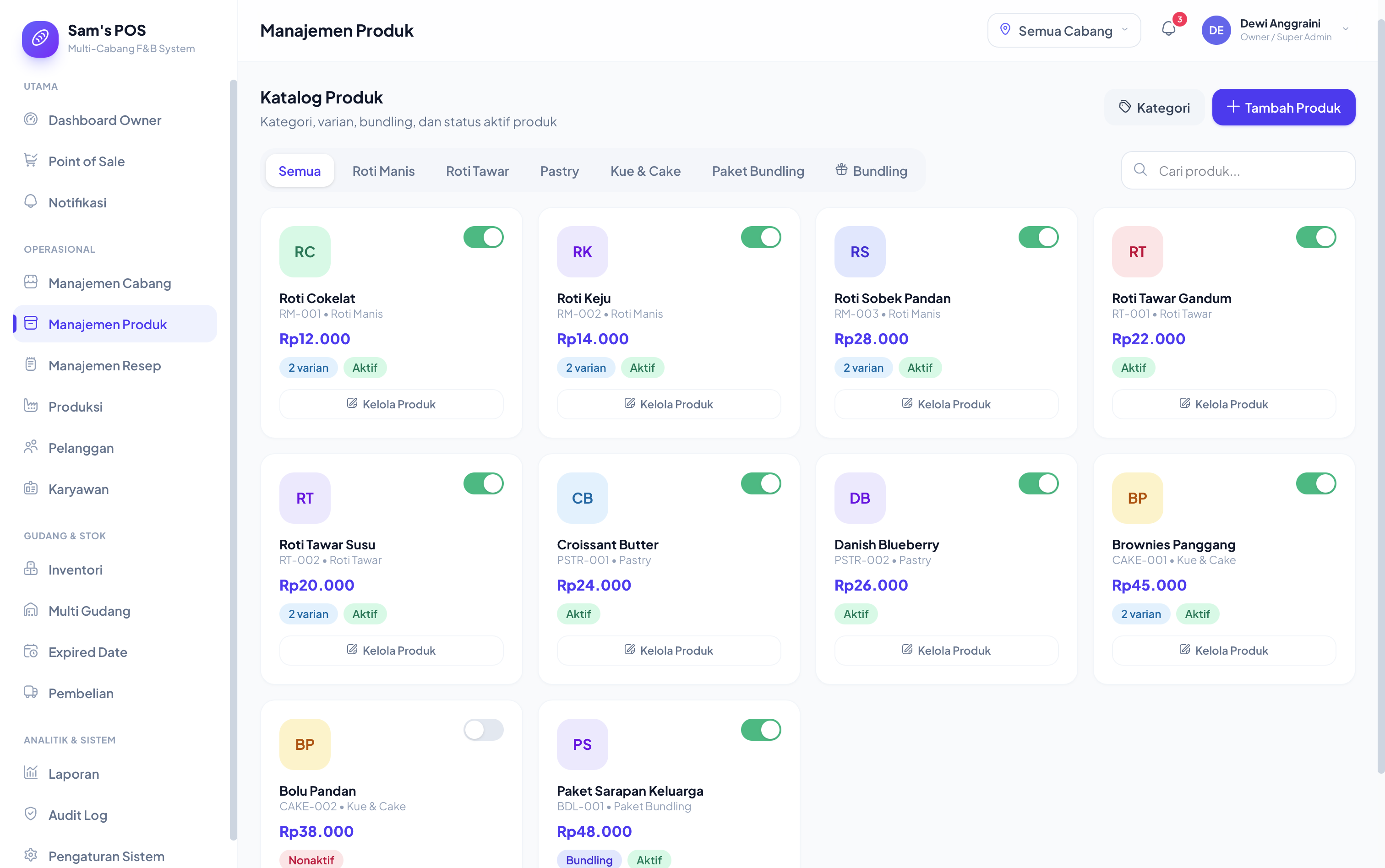
Product catalog: variants, bundles, categories, active/inactive status

  • Full product catalog with categories, variants, bundle composition, and active/inactive toggling.
  • Recipes link a sellable product to the raw ingredients and quantities it consumes, which is what makes production tracking and ingredient-level stock deduction possible. Selling a "Croissant Butter" deducts flour and butter, not just decrements a "Croissant" counter.
  • Production records log batches produced, good vs. failed quantities, and batch numbers, which feed directly into expiry tracking.

Inventory Across Branches

  • Multi-warehouse stock levels (central warehouse plus per-branch), with transfer requests that go through a pending → approved → completed flow rather than instant silent moves.
  • Stock mutations are typed and logged, covering sale, production in/out, purchase in, transfer in/out, manual adjustment, stock opname, and returns, so every quantity change has a reason and an author.
  • Batch-level expiry tracking flags what's expiring soon per branch, surfaced directly on the owner dashboard.
  • Stock opname (physical count reconciliation) records system quantity vs. counted quantity and the resulting difference, rather than just overwriting the number.

Purchasing & Suppliers

  • Purchase orders per supplier and branch, tracked through unpaid → partial → paid, separately from received vs. pending stock status. A paid invoice and a received shipment are not assumed to be the same event.
  • Purchase returns are their own record type, tied back to the original order.

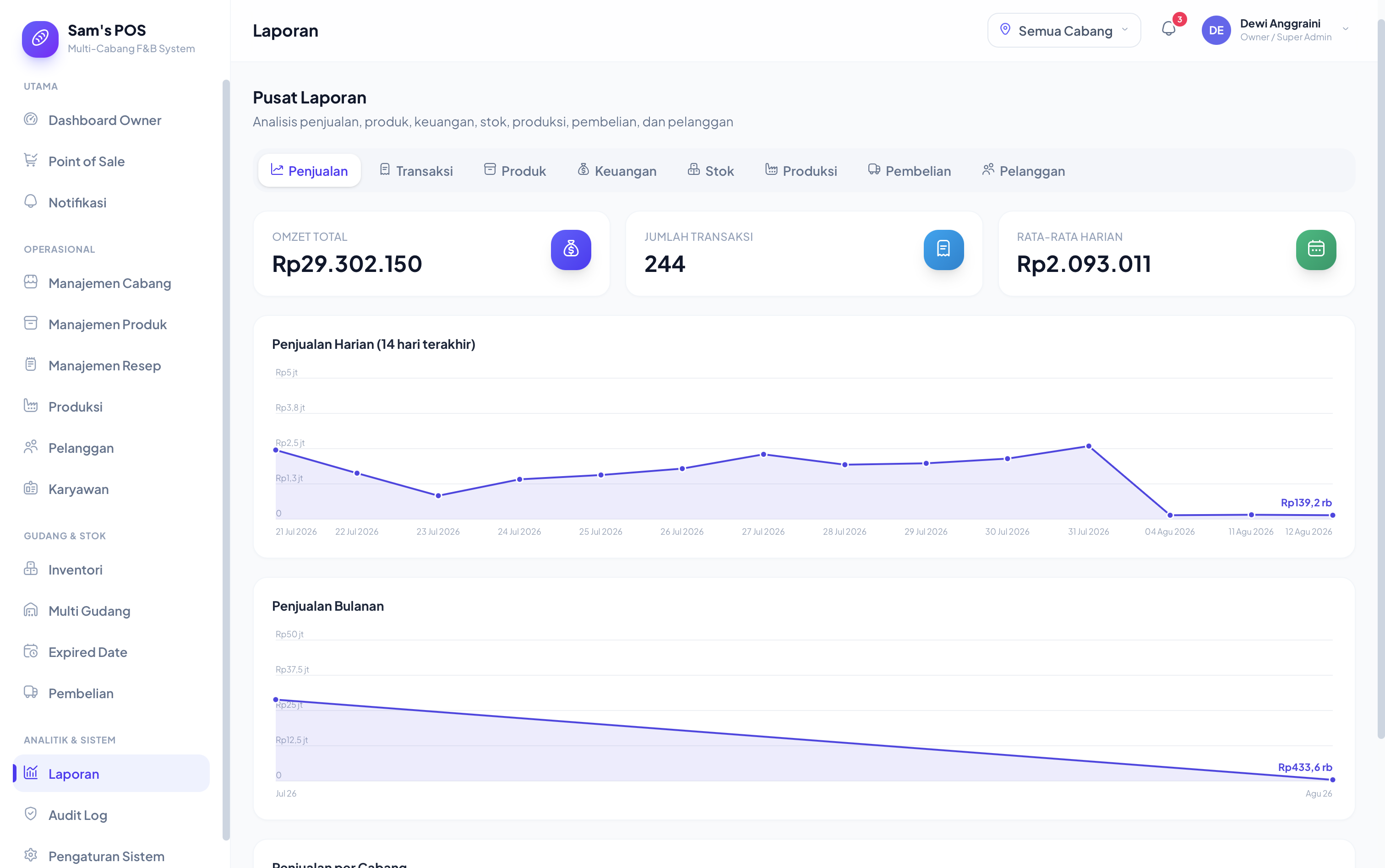
Reporting

Reports: sales trend, revenue by branch, top products

Seven report categories (sales, transactions, products, finance, stock, production, purchasing, and customers) each answer a different question rather than one dashboard trying to answer all of them: daily and monthly sales trends, revenue by branch against target, best-selling products, and more.

What Makes This a Convincing Demo, Not Just a Mockup

  • Role-based access is real, not decorative. The sidebar, the routes, and the data a user can see all change based on which demo role is active. A client evaluating this can feel the difference between "Owner" and "Kasir," not just be told there is one.
  • The data model is production-shaped. Stock mutations, purchase orders, and stock opname are modeled as the kind of auditable, typed records a real multi-branch business needs, not flattened into a single "quantity" field, so moving to a real backend later is a swap of the data layer, not a redesign.
  • Every number is derived, not hardcoded. Dashboard totals, branch rankings, and low-stock alerts are all computed live from the mock dataset, the same way they'd be computed from a real database.

Tech Stack

LayerChoice
FrameworkNext.js 16, React 19, TypeScript
StylingTailwind CSS 4
StateReact Context, mock data held in memory for the demo session

No backend, no database, intentionally. This build's job was to prove the product experience, not stand up infrastructure a client hasn't committed to yet.

Links

  • Live demo: sams-pos-demo.netlify.app